
Know exactly where your money goes
A calm, simple way to track every subscription. See your total spend, get reminders before renewals, organize by category — just clarity.
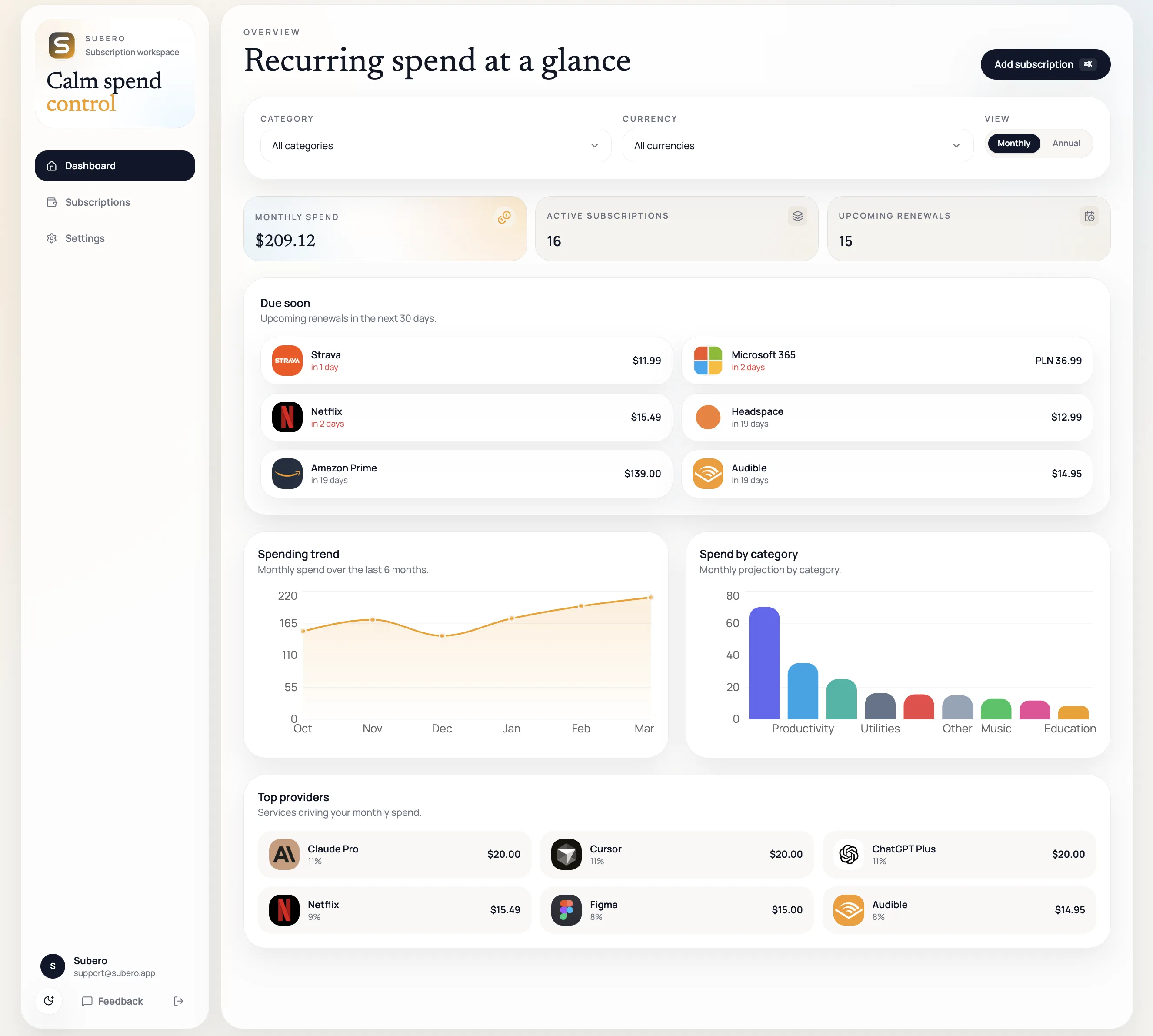
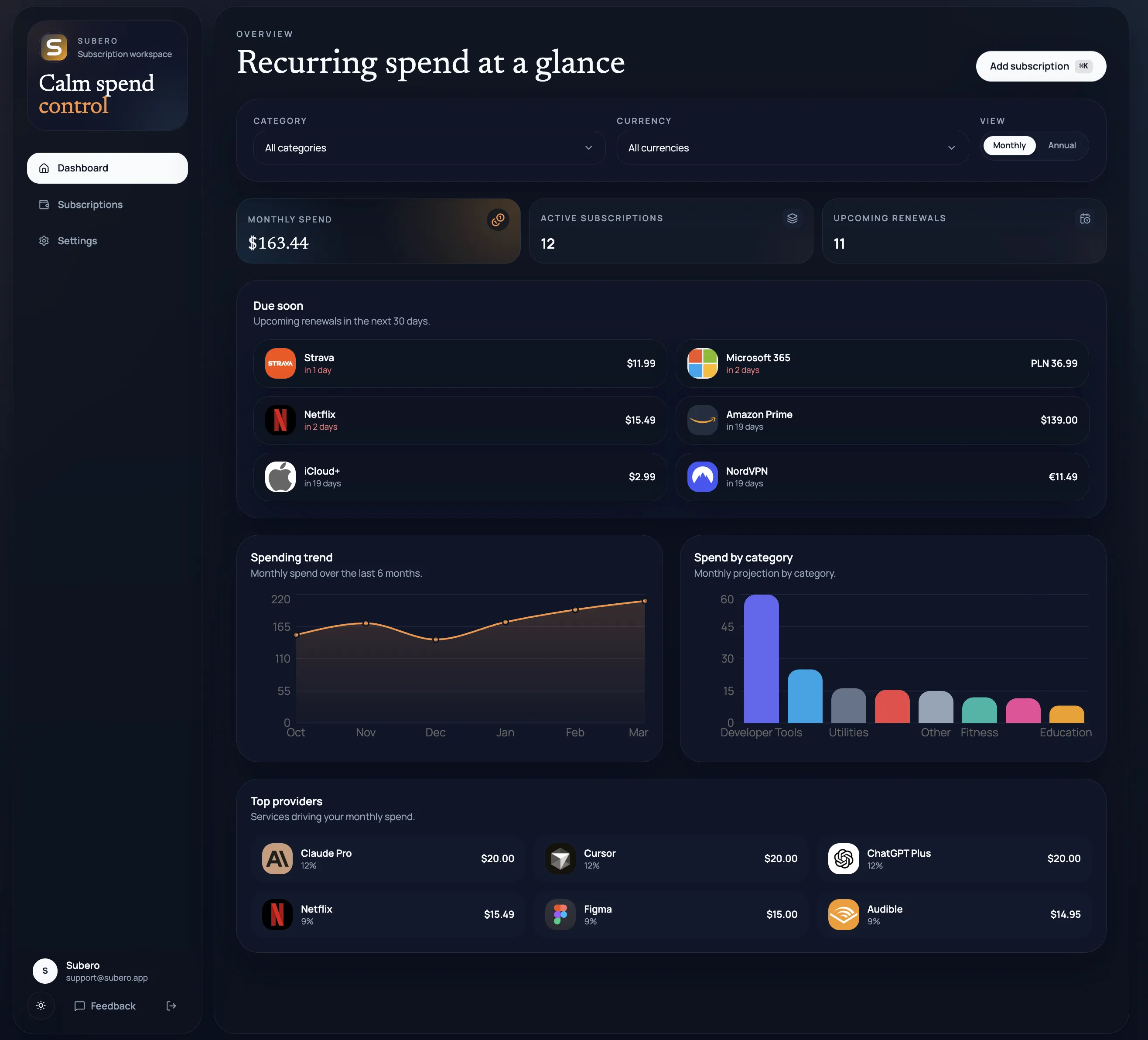
Your spending dashboard — totals, trends, categories, and upcoming renewals at a glance.
Everything you need
Simple tools, total clarity
Every feature is designed around one goal — helping you understand and manage your recurring spend without friction.
Spending analytics
Monthly and annual totals, spending trends over time, breakdowns by category and provider. See exactly where every dollar goes.
Smart reminders
Get notified 1 to 60 days before any renewal. Choose morning, midday, or evening delivery. Never be surprised by a charge again.
Multi-currency
Track subscriptions in any currency. Subero normalizes everything into your display currency for one clear total.
Payment methods
Link Visa, Mastercard, PayPal, Apple Pay, and more. See which card each subscription bills to.
Custom categories
Organize with your own categories and accent colors. Filter your dashboard and subscriptions by what matters to you.
200+ providers
Netflix, Spotify, GitHub, Figma, Adobe — search from a curated catalog with logos and categories, or add any custom service.
Grid & table views
Switch between visual cards and a compact table. Filter by status, category, currency, or payment method. Sort however you like.
CSV export
Download all your subscriptions as a spreadsheet anytime. Your data is always accessible and portable.
Private by design
No third-party trackers, no ads, no data selling. Manual entry means no bank credentials ever leave your hands. Full account deletion anytime.
Your subscriptions
Every subscription, one calm view
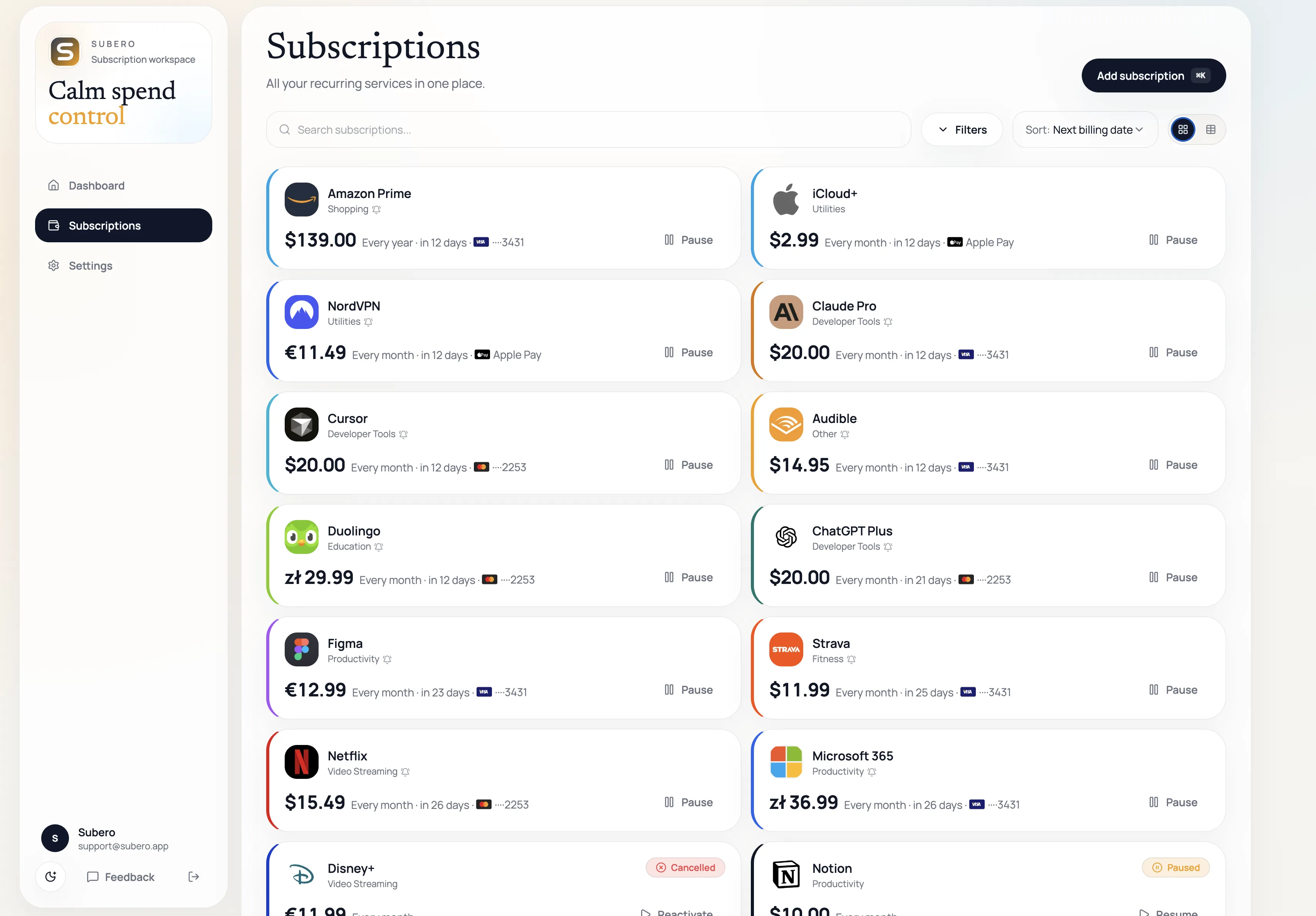
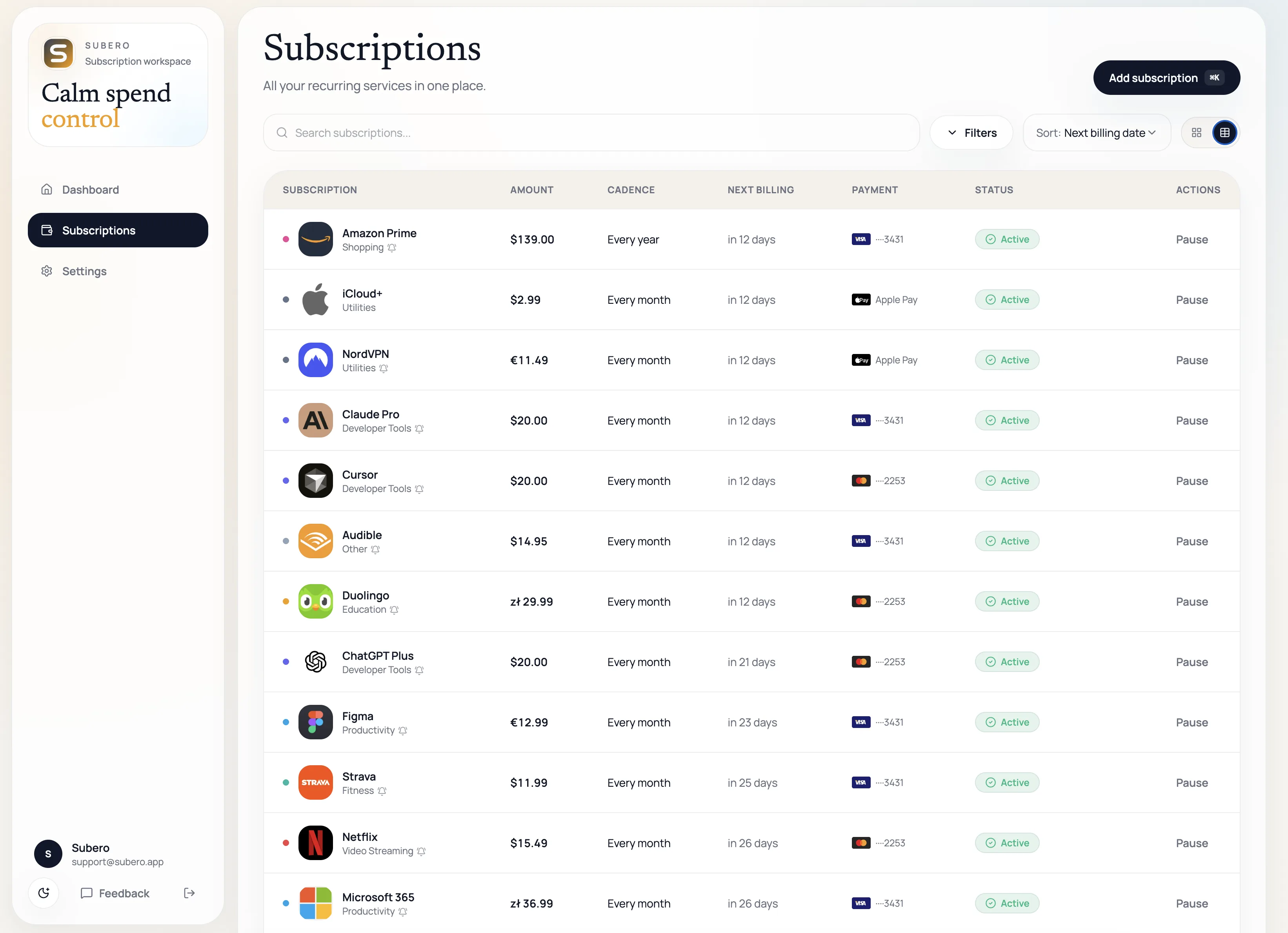
Switch between grid cards and a detailed table. Filter by category, status, currency, or payment method. Sort by next billing date, amount, or provider. Your layout preference is remembered.
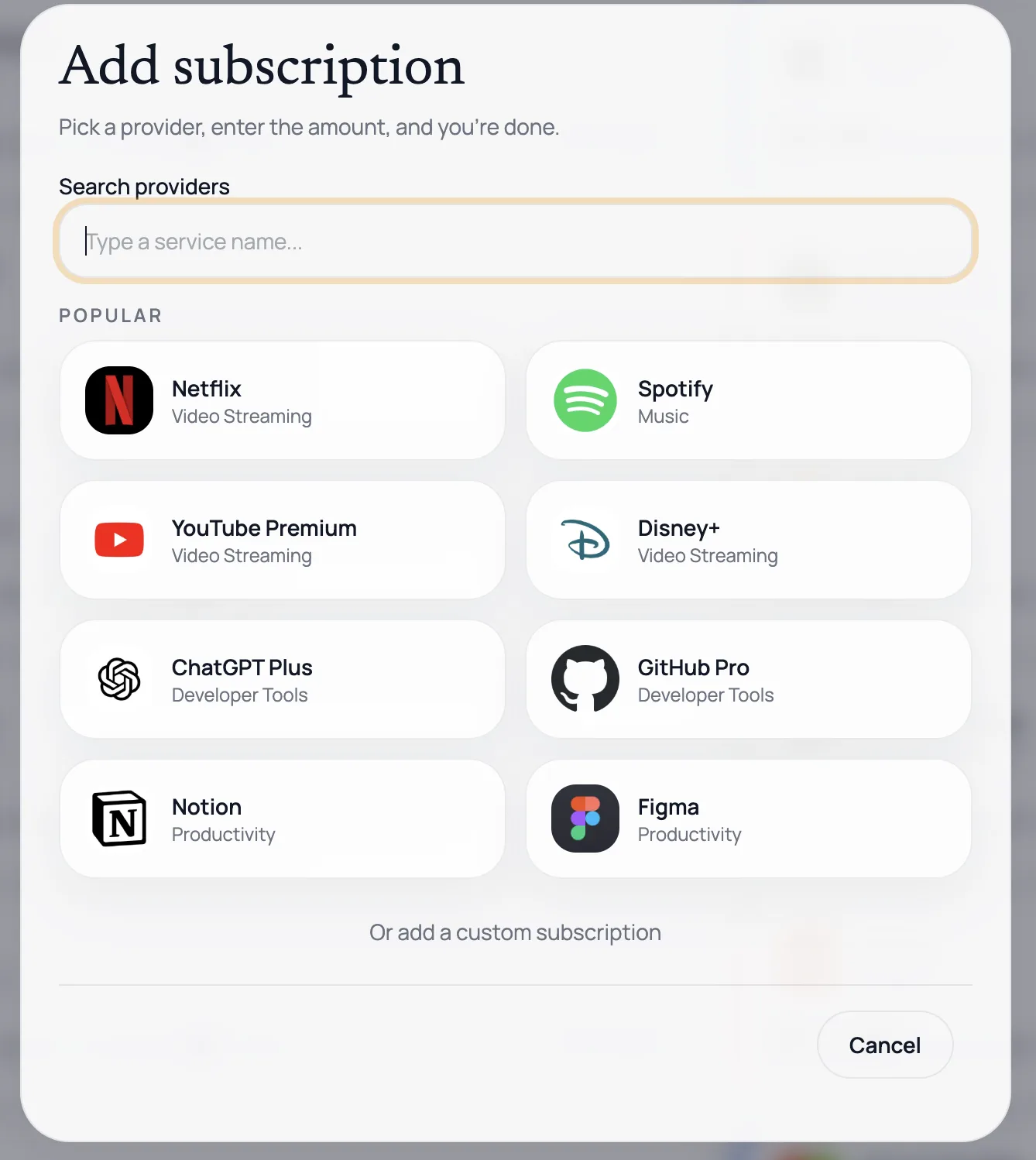
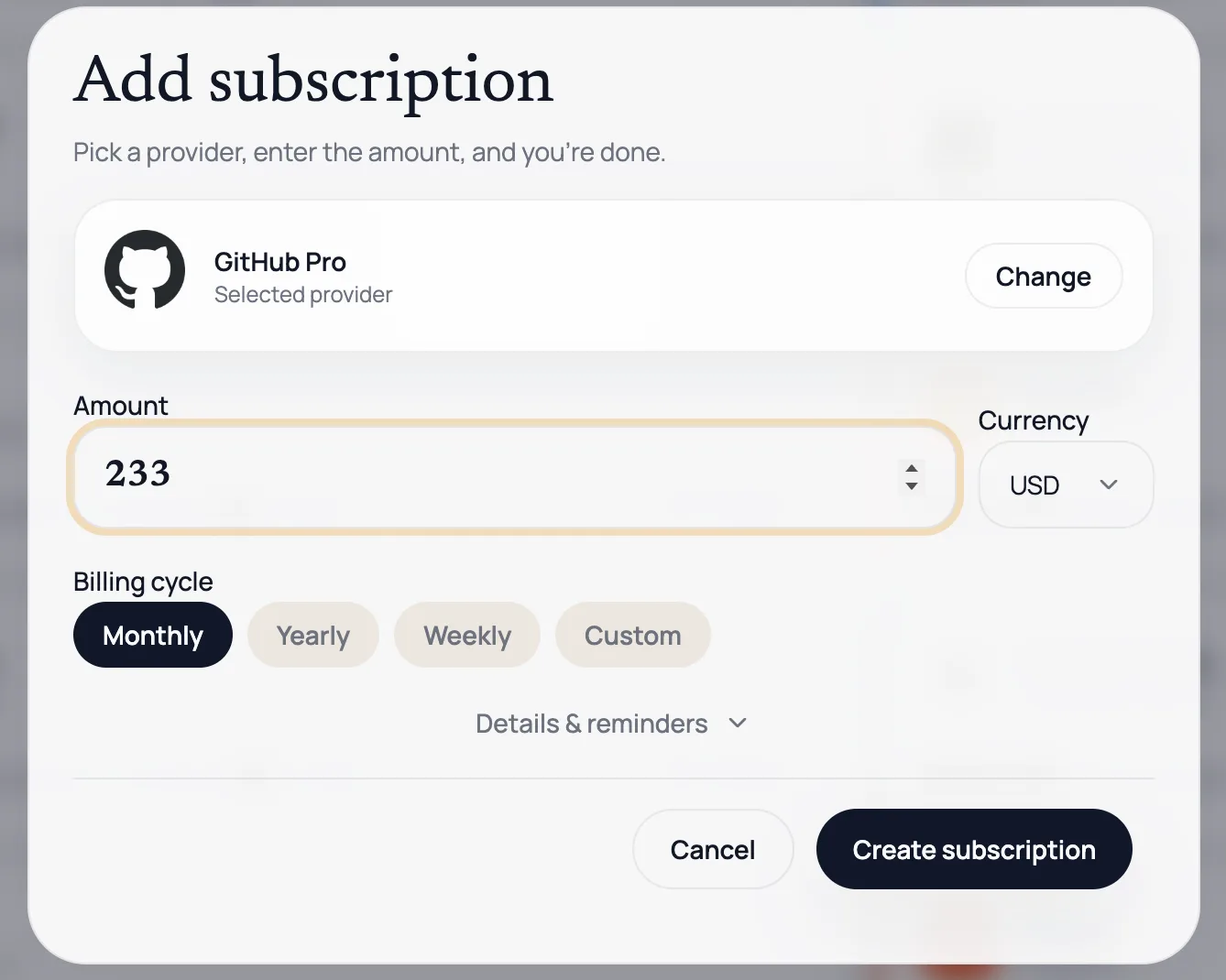
Add in seconds
Pick a provider and go
Search over 200 providers with logos and categories — Netflix, Spotify, Adobe, GitHub, and more. Or add a custom subscription with your own icon.
- Set amount, currency, and billing cycle
- Assign a category and payment method
- Configure renewal reminders
- Track trials and pause anytime
200+
Built-in providers
180+
Currencies supported
<30s
To add a subscription
Calm spend control
Track every subscription in one clean workspace. No bank connections, no invasive tracking — just a clear picture of your recurring spend.
FAQ
Common questions
No. Subero is a manual tracker by design. You add subscriptions yourself, which means no bank credentials ever leave your hands. This is intentional — the simplest approach is also the most private.
When you add a subscription, you can turn on email reminders and choose how many days before renewal you want to be notified — from 1 to 60 days. You can also enable a due-today alert. Choose your preferred delivery window: morning, midday, or evening.
You can track subscriptions in any currency. Subero normalizes amounts into your chosen display currency so your dashboard always shows a single, comparable total.
Yes. Add your cards and accounts — Visa, Mastercard, PayPal, Apple Pay, and more. Link each subscription to a payment method so you always know which card is being charged.
Yes. Download all your subscriptions as a CSV file anytime from Settings. You can also delete your entire account and all associated data permanently whenever you want.
There's a dedicated feedback page inside the app. You can report bugs, suggest features, share UX feedback, or rate your experience. Toggle follow-up if you'd like us to reply.
Subero is built by an independent developer. No VC funding, no growth hacks, no data monetization — just a clean tool for a real problem.